


6 Legal Ways to Get Netflix for Free in 2026

Claire Green January 21, 2026 Category: Netflix Tips
Netflix has so many popular movies, TV shows, and original series that you'll definitely wish you could get Netflix for free. Although Netflix doesn't offer a free trial anymore, there are some workarounds!
In this guide, we will introduce 6 legal ways to get Netflix for free, including carrier deals, account sharing, reward programs, and even download Netflix movies and keep them permanently!
You may also want to know: Best Free Netflix Downloaders in 2026 (Tested & Reviewed Options)

- Part 1: Does Netflix Still Offer a Free Trial in 2026?
- Part 2: Get Netflix Standard with Ads for Free with T-Mobile
- Part 3: How to Get Netflix Cheaper on Verizon
- Part 4: Stream Netflix with Xfinity StreamSaver Bundle
- Part 5: Earn Free Netflix on Fetch – Redeem Points for Subscription
- Part 6: Get Netflix for Free through Account Sharing
- Part 7: Get Netflix for Free Forever - Download Netflix with SameMovie ✨
- Part 8: FAQs about Getting Netflix for Free
Part 1: Does Netflix Still Offer a Free Trial in 2026?
Netflix once had a 30-day free trial for new users in America. During the Netflix free trial, you can watch every movie and TV show on Netflix. However, as Netflix become more popular and there are more users, they canceled the free trial since 2020. Now in 2026, this policy has still not recovered.
However, there are still some workarounds to let you get Netflix for free, or even keep Netflix forever.
Keep reading!
Part 2: Get Netflix Standard with Ads for Free with T-Mobile
T-Mobile is a well-known mobile operator in the US. They offer numerous promotions to users, including getting Netflix for free. T-Mobile offers a deal called Netflix On Us for users to get the Netflix Standard with Ads for free at no extra cost as long as they subscribe to eligible T-Mobile plans.
Which T-Mobile Plans Include Free Netflix?
Old Plans (for existing users only):
- Have at least two lines on any Go5G™ or Magenta® plan.
- Have at least one line on Experience More, Experience Beyond, Go5G Next, Go5G Plus™, or Magenta® MAX.
New Plans:
- Better Value ($140/month)
- Experience Beyond ($170/month)
- Experiencex More ($140/month)
How to Get Netflix for Free with T-Mobile
- Open account.t-mobile.com in your browser.
- Click Account > Manage add-ons, then on the Manage data and add-ons page, add Netflix in the Services section.
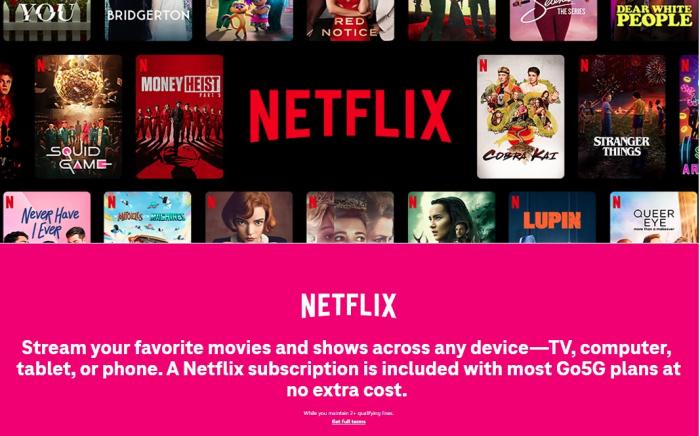
Whether you already have a Netflix account or not, you can get Netflix with Standard with ads for free this way.
⚠️Plan ending soon? SameMovie lets you keep Netflix movies forever and watch offline anytime!
Part 3: How to Get Netflix Cheaper on Verizon
Verizon is another wireless carrier in the US and offers even greater coverage than T-Mobile. Verizon once allowed customers to get Netflix for free (12-month Netflix premium) by purchasing an annual subscription on +Play. However, this offer was canceled in 2025, so only existing users who had already purchased the annual +Play subscription can still enjoy this benefit.
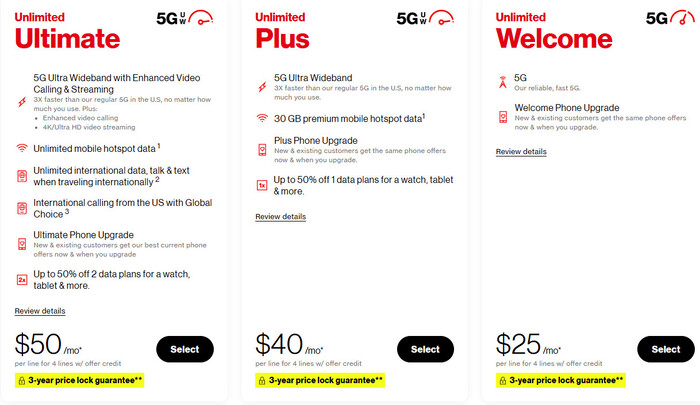
For New customers, you can buy Verizon's Netflix & Max (With Ads) Perk currenly. This is a bundle that includes both Netflix Standard with Ads and HBO Max Basic with Ads. Normally, subscribing to Netflix Standard with Ads and HBO Max Basic with Ads costs $18.98 per month, but with Verizon's bundle, it only costs $10 per month.
How to Get The Netflix & HBO Max perk on Verizon
- Open Verizon Netflix & Max (With Ads) Perk , and choose an appropriate plan (at least $25/month). Scroll download and add Netflix & HBO Max perk($10/month) to your plan. You finished the purchase for at least $35/month in total.
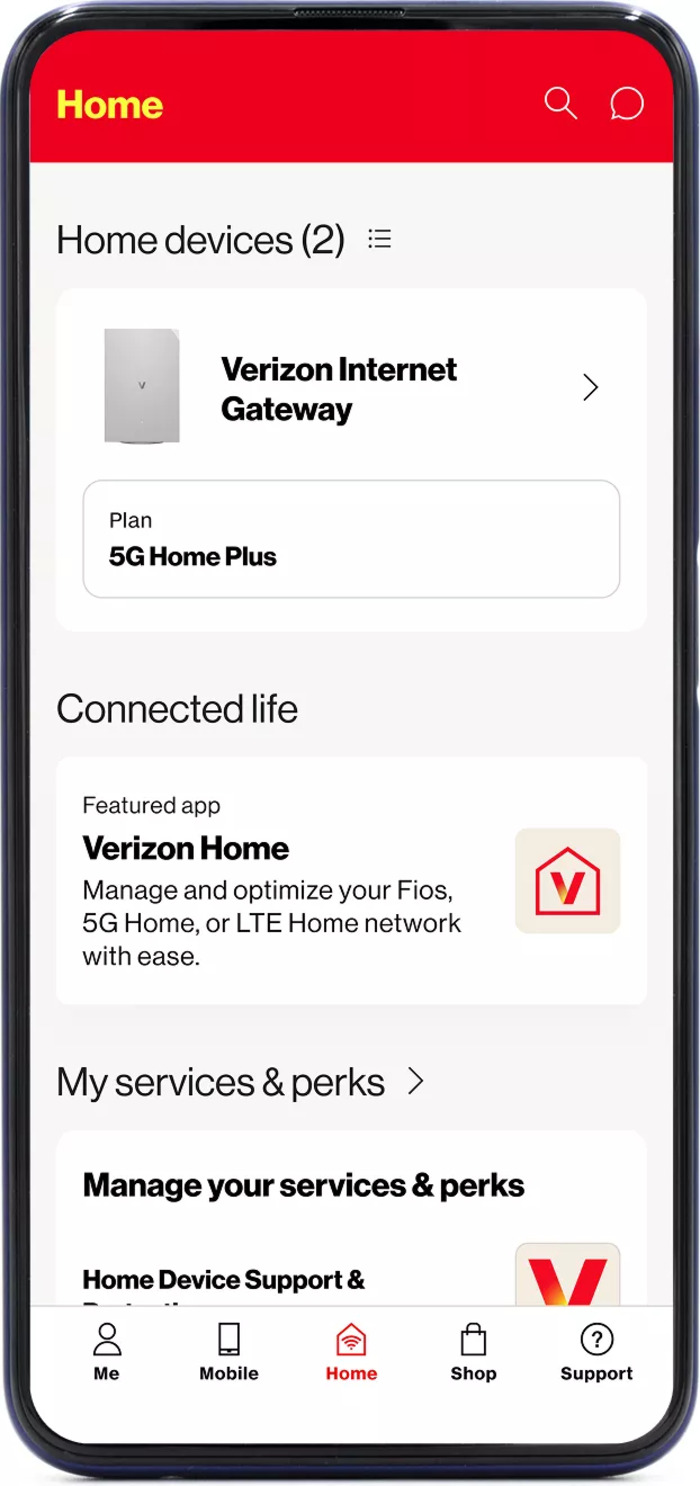
- After purchasing, log in to your account on the My Verizon app or verizon.com. Find "My Services & perks".
- Locate the Netflix & HBO Max Perk and tap "Set up" or "Continue". Confirm your email if you are a new customer or enter the email of your existing Netflix account.
⚠️Free plan only for old users? SameMovie lets you get Netflix for free forever!
Part 4: Stream Netflix with Xfinity StreamSaver Bundle
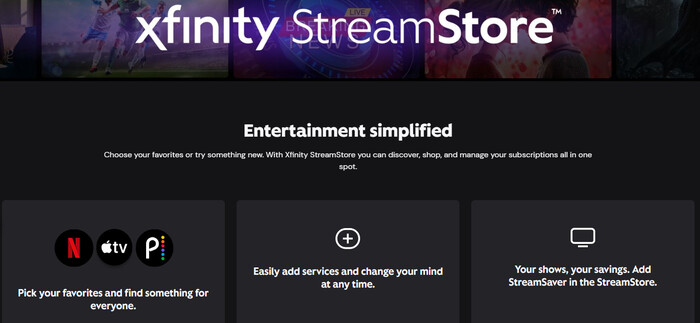
If you use Xfinity Internet or Xfinity TV, you can get Netflix at a more affordable price through the Xfinity StreamSaver bundle. StreamSaver combines multiple streaming services, including Netflix, Peacock Premium with Ads, and Apple TV+. If you are a fan of all three platforms, this bundle is a real bargain. You only need to pay $18 per month, which is cheaper than paying for each service separately.
How to Get Netflix through Xfinity StreamSaver
- Choose your desired Xfinity plan and make sure to add StreamSaver to your package.
- After purchase, you'll receive an email with the link to activate Netflix. Click the link, and sign in to your Xfinity account on the redirected page.
- In Subscription Hub, find Netflix, then click Activate next to it.
⚠️Extra cost for Netflix? SameMovie lets you download and watch Netflix anytime, anywhere!
Part 5: Earn Free Netflix on Fetch – Redeem Points for Subscription
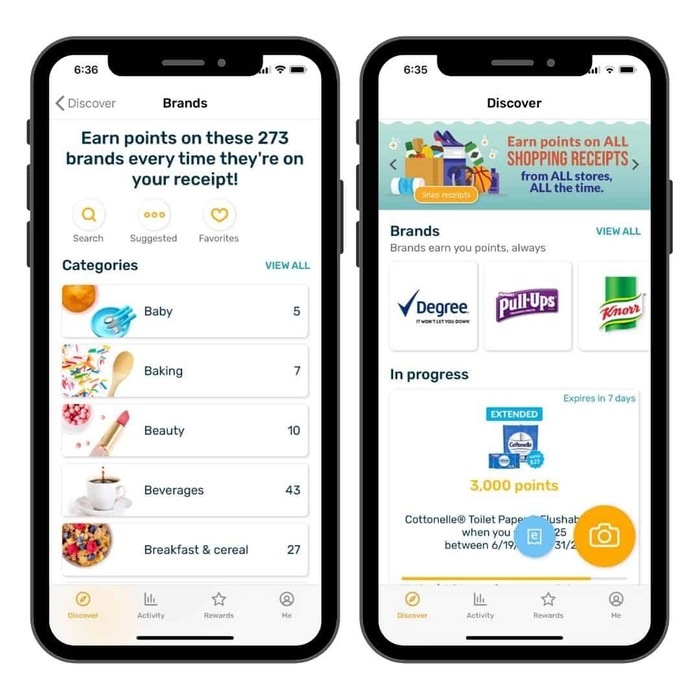
Fetch Rewards is a popular app that lets you earn points by snapping photos of your receipts after shopping, then redeem them for Visa gift cards. Typically, each receipt is worth at least 25 points, and 3,000–10,000 points can be redeemed for $3–$25 Visa gift cards. You can use these Visa gift cards to pay for your subscription directly on the Netflix website or app.
How to Get Netflix for Free through Fetch
- Snap your receipts when shopping in daily life, and upload them to the Fetch app to earn points.
- Go to the Rewards tab > Search "Visa" > Redeem for the desired amount.
- Open your Netflix account and find "Add payment method". Enter Visa gift card details to pay for your subscription.
Part 6: Get Netflix for Free through Account Sharing
Netflix allows you to watch movies and TV shows on 2-4 devices at the same time, according to different plans. So, if your friend or family member has a Netflix account, you can ask if they mind sharing their account with you. This is one of the easiest ways to get Netflix for free.
Note: If you and your family member are not in the same household, you will need to buy an extra member. This feature is only available for Standard and Premium subscribers, and an extra member slot can be added for $7.99/month.
How to Share A Netflix Account?
Step 1: Go to netflix.com, then click on the Manage Profiles and select Add Profile.
Step 2: Enter a name for the new profile you want to add and select CONTINUE.
Step 3: Select DONE to finish adding the new profile for your friend or family member.
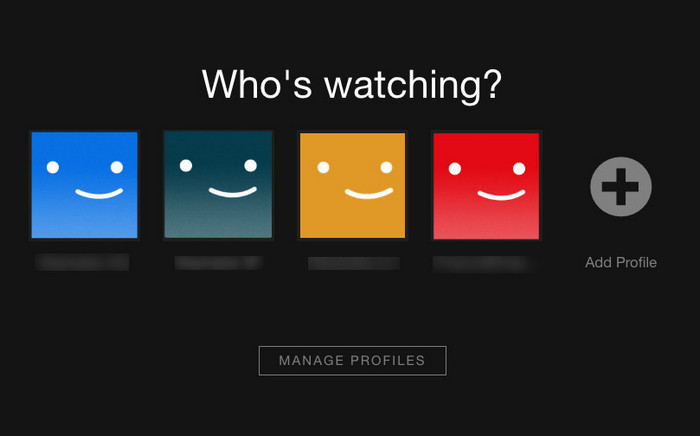
Because each profile needs the same email and password to log in Netflix, the Netflix account can only be shared with friends and family members you trust.
Part 7: Get Netflix for Free Forever - Download Netflix with SameMovie
Although the above methods allow you to get Netflix for free or get a substantial discount through some carriers' deals, if you stop using the plan, you can't enjoy the benefits anymore. The best way is directly purchase Netflix Standard with ads in official site ($7.99/month), and save them forever with SameMovie.
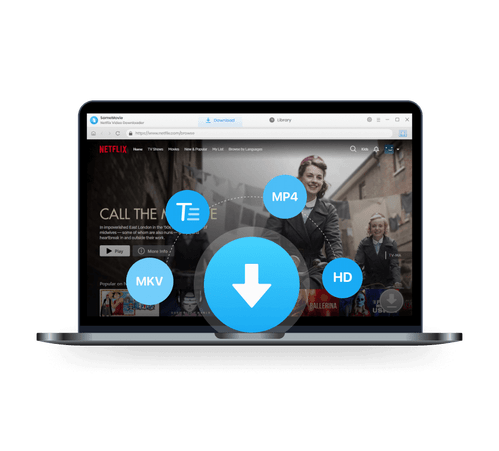
SameMovie Netflix Video Downloader can help you remove ads on Netflix and download Netflix movies and TV shows on laptops in up to 1080P quality. The downloaded Netflix videos are saved as MP4 and MKV files, so you can keep them permanently at no additional charge.
Also, you can transfer them to other devices, like Xbox, USB drives, PS4, Nintendo Switch, etc., and watch them anytime, anywhere. What's more, you can download several Netflix movies and entire seasons at a time. With its hardware acceleration, the downloads finish quickly, saving you lots of time.
SameMovie Netflix Video Downloader:
- Download Netflix movies and TV shows to watch offline for free
- Download Netflix videos with HD (1080p and 720p) quality kept
- Support downloading subtitles and audio tracks
- Support fast multi-stream and multi-video downloading
How to Download Netflix Movies with SameMovie
STEP 1 Launch Netflix Video Downloader
Launch Netflix Video Downloader after the installation completes and log into your Netflix account.
STEP 2 Customize the Downloads
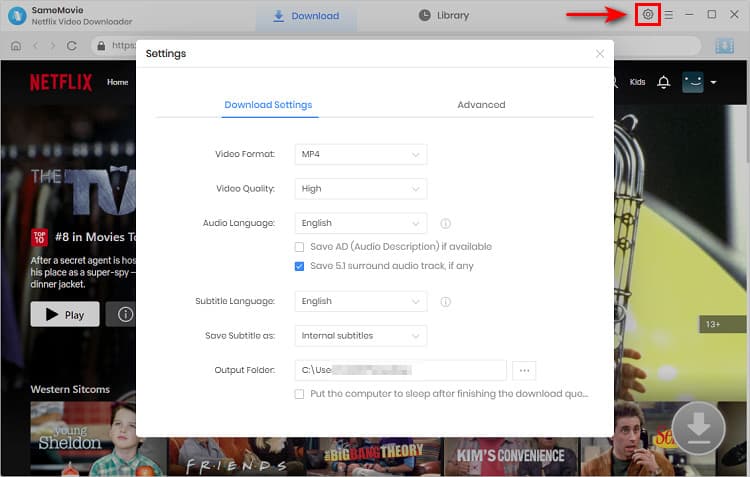
Click on the "Setting" icon to open the setting window where you can change the video quality, audio language and subtitle language.
STEP 3 Find the Netflix Video
Find the Netflix video you want to download by navigating SameMovie's built-in browser, or just past the video link in the search bar. Click on the video you want to download and the Download icon will become available.
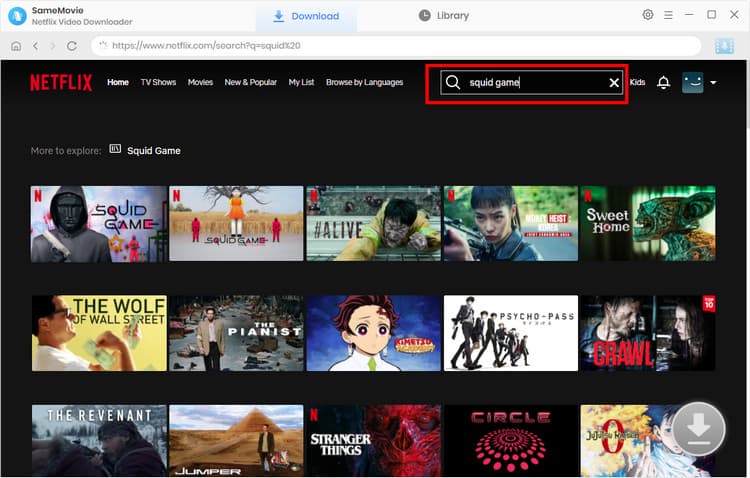
STEP 4 Start Downloading
Click on the "Download" button to start downloading Netflix TV shows and movies to the output folder.
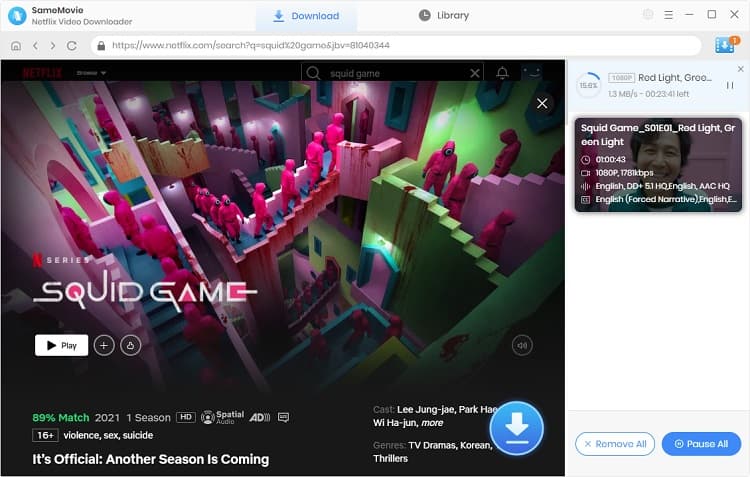
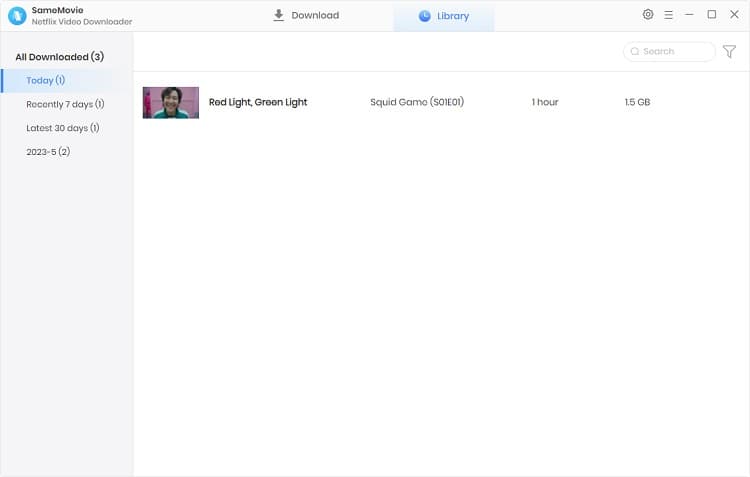
STEP 5 Find Your Downloads
Once the download is completed, you can navigate to the "Library" tab to check all downloaded videos.
With this professional Netflix Video Downloader , you can save your Netflix downloaders forever.
FAQs about Getting Netflix for Free
Is there any discount on Netflix?
No. Netflix doesn't offer any official discounts. But you can get some discounts through T-Mobile, Verizon, Xfinity, etc. If you don't want to pay Netflix every month, you can use SameMovie Netflix Video Downloader to download Netflix movies and save them permanently.
You may also want to know 👉: Can I Get Netflix Military Discount in 2026?
Which streaming video platform offer free trial?
There are many platforms offering free trials, such as Hulu, Amazon, Paramount+, Apple Tv, etc. Among these, Hulu, Amazon, and Paramount+ have the longest free trial, which is 30 days. During the free trial, you can cancel the subscription anytime.
What are the best ways to get Netflix for free?
It really depends on what you need. You can refer to the table below to choose the best way to get Netflix for free.
| Rating | Method | Cost | Duration | Devices | Best For |
|---|---|---|---|---|---|
| ⭐⭐⭐⭐⭐ | SameMovie Netflix Downlaoder | 89.9/month | Permanent | Any device | Users who want to save Netflix forever |
| ⭐⭐⭐⭐ | T-Mobile | $140/month + | Only while subscription active | Devices allowed by Netflix | T-Mobile users |
| ⭐⭐⭐ | Verizon | $35/month + | Only while subscription active | Devices allowed by Netflix | Verizon users, who like Metflix/HBO content |
| ⭐⭐⭐ | Xfinity | $18/mo + Xfinity plan ($50–$100+) | Only while subscription active | Devices allowed by Netflix | Xfinity Internet/TV users, multi-platform fans |
| ⭐⭐⭐⭐ | Fetch Rewards | Indirect free | As long as you accumulate points | Devices allowed by Netflix | Those with family/friends' Netflix accounts |
| ⭐⭐⭐⭐ | Account sharing | Free | As long as the owner keeps the account | Devices allowed by Netflix | Those with family/friends' Netflix accounts |
Final Words
This article introduces 6 legal ways to get Netflix for free. Some of the ways are very suitable for those who plan to purchase broadband service, or whose friends or families having Netflix account.
If you don't have a plan to purchase broadband service and want to save Netflix forever, I recommend use SameMovie Netflix Video Downloader to download Netflix movies to your device as MP4/MKV files. Try it now!
Claire Green, a content writer specializing in blogs. With a passion for streaming video, Claire explores the latest trends, reviews popular platforms, and provides insightful tips for optimizing your streaming experience.
Tips You May Want to Know

What You'll Need
Recommend