


[2026 Updated] How to Convert Netflix Videos to MKV Format?

Claire Green January 26, 2026 Category: Netflix Tips
English ▼
- Deutsch
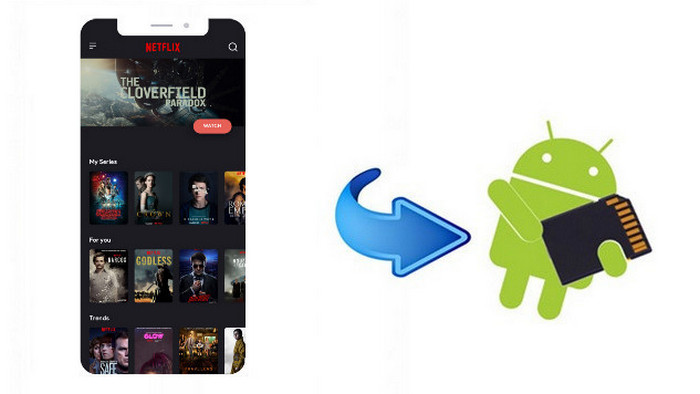
Although Netflix allows its users to download and save videos locally on some supported devices, such as iPhones and Android devices, there is no way for users to download Netflix videos in the format they truely want, such as MKV.
Luckily, in this guide, we will teach you a reliable way to convert Netflix to MKV formats and keep them permanently. To learn how to do it, keep reading.
 You May Also Like: How to Download Amazon Prime Video to MP4 Format
Reading Guide
1. Why Do You Need to Save Netflix Movies to MKV?
Netflix downloads come with limitations — they expire, can't be played everywhere, and often lose quality. Converting them to MKV solves all these problems.
- ✅ After converting to MKV files, Netflix videos become regular video files on your hard drive, permanently saved.
- ✅ MKV format has strong compatibility and can be played on almost every device. Let you get rid of Netflix app restrictions.
- ✅ MKV files can store multiple audio tracks and subtitles within a single file .
- ✅ Netflix in MKV format allows offline viewing, perfect for travel or areas with poor signal reception.
How to Download Netflix Movies to MP4 [2026 Full Guide]
In this article,we'll walk you through 3 practical and legal ways to watch Netflix on Nintendo Switch in full HD.
Learn More2. MKV Vs MP4: Which One Is Better (Our Tested Results)
When downloading Netflix videos, MKV and MP4 are the two most common formats. While both work for offline playback, MKV offers more flexibility and is better suited for long-term storage.
| Feature | MKV | MP4 |
|---|---|---|
| Multiple Audio Tracks | ✅ | ❌ (Limited) |
| Multi-lingual Subtitles | ✅ | ❌ (Limited) |
| Keep Metadata | ✅ | ❌ (Limited) |
| Plays Damaged Files | Plays even if slightly broken | ⚠️ Fail to play if damaged |
| Where It Works | Most players (VLC, Plex) | Almost any device |
| File Size | Slightly Larger | Smaller |
| Full Quality Preserved | ✅ | ⚠️ May be slightly compressed |
| Best For | Permanent library, Plex/NAS | Quick sharing, mobile devices |
3. How to Download and Convert Netflix Movies to MKV?
SameMovie Netflix Video Downloader is a professional video downloader that supports directly downloading Netflix movies and TV shows on laptops in HD quality (1080p). You can choose to download Netflix as MP4 or MKV files as you wish. After downloading, they can be transferred to any other devices, like Xbox, PS4, Nintendo Switch, etc., and watched offline.
While keeping the high quality of the video, the original Netflix Dolby Atmos and multi-language subtitles will also be preserved, giving you the best streaming experience. You can also download several movies or an entire season at a time, and with its 10X faster downloading speed, it will be finished quickly.
Now let's learn how to download and convert Netflix videos to MKV with SameMovie in the following part.
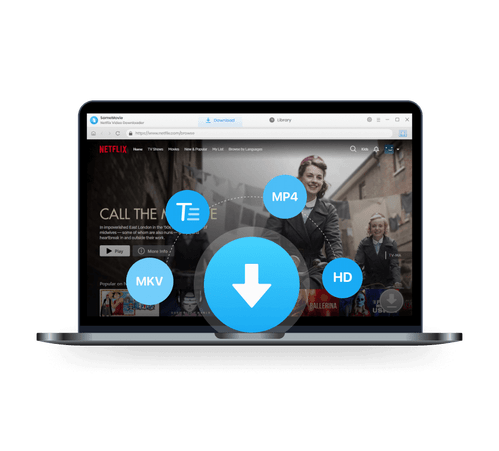
SameMovie Netflix Video Downloader:
- Download Netflix movies, TV shows, documentaries, and more
- Download Netflix videos with HD (1080p and 720p) quality kept
- Support downloading subtitles and audio tracks
- Support fast multi-stream and multi-video downloading
STEP 1 Launch Netflix Video Downloader
Install the Netflix Video Downloader and launch it, then sign in with your Netflix account.
Note: SameMovie will not record any information from your account.
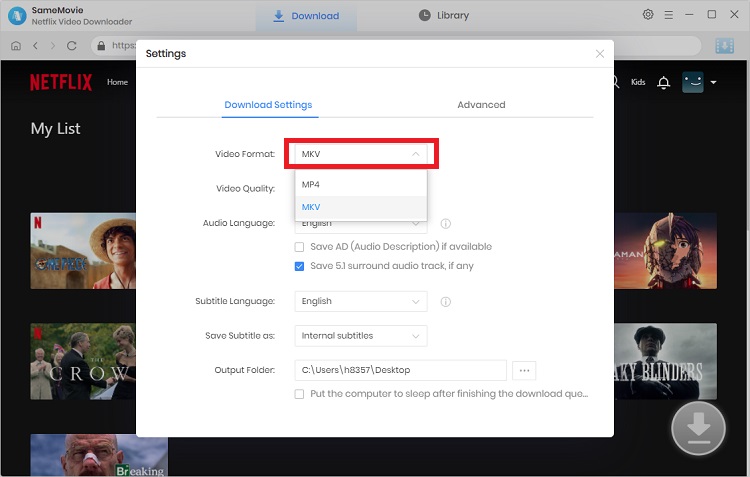
STEP 2 Adjust the Netflix Download Settings
Click on the "Setting" icon located in the top-right corner to set MKV as your output video format, along with video quality, audio type, and subtitle language.
On the "Advanced" option, you can allow "Enable hardware acceleration when available" to speed up downloads. Plus, you can choose H.264 or H.265 video codecs here, which are both available for MKV output.
STEP 3 Search Netflix Videos
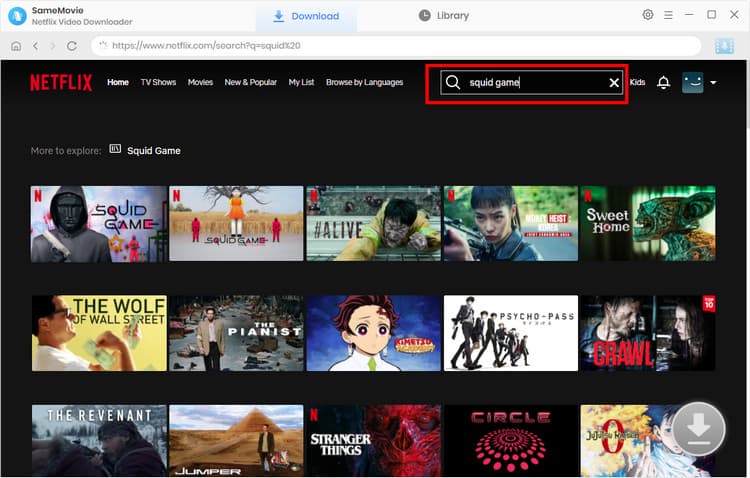
Search for Netflix movies and TV shows you wish to download through the built-in browser. Alternatively, you can just paste the video link in the search box.
STEP 4 Start Downloading Netflix Movies to MKV
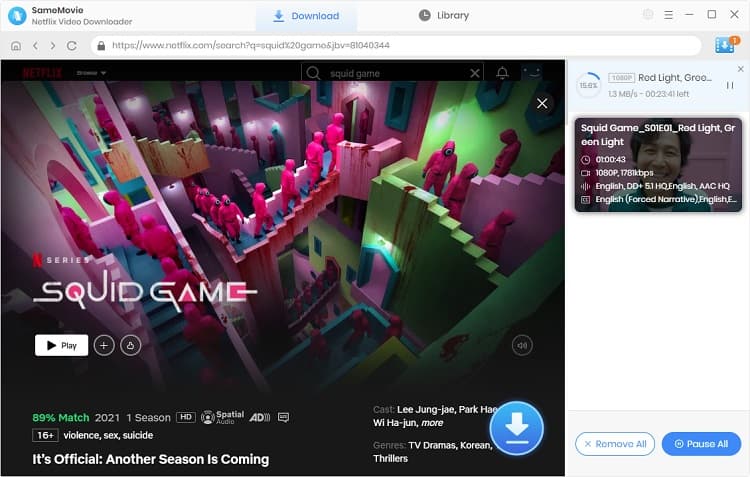
Once done, tap on the "Download" button to start downloading and converting the Netflix videos to MKV format.
STEP 5 Locate Downloaded Netflix MKV Files
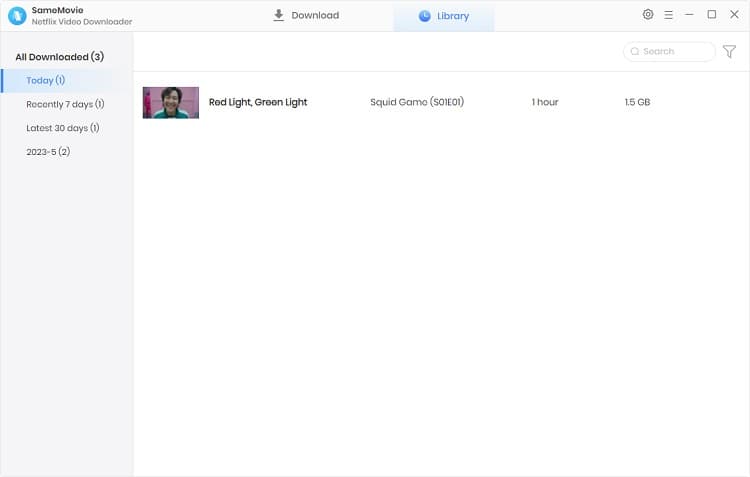
After the download is complete, you can head to the "Library" tab at the top to find all your downloaded Netflix videos.
4. FAQs about Converting Netflix to MKV
What Is the Official Netflix Download Format?
Netflix uses a special format with the .nfv file extension to prevent users from distributing videos or playing them on other devices. If you want to download Netflix in other formats like MP4 or MKV, you will need a third-party tool like SameMovie Netflix Video Downloader, which can help you save Netflix videos as MP4 or MKV files and keep them permanently on your device.
Can I Convert Official Netflix Downloads to MKV?
Netflix downloads are encrypted and can only be played within the Netflix app. The only way is to use SameMovie Netflix Video Downloader to download Netflix movies and TV shows as MP4 or MKV files, so you can keep them permanently.
Is It Leagal to Download Netflix with SameMovie?
Yes! Downloading Netflix with SameMovie is legal as long as you use it for personal viewing only. Remember to only use SameMovie for your own offline viewing and do not distribute or sell downloaded files without permission.
Conclusion
While the downloaded files in the Netflix official app are not in MKV format and can't be transferred, there is still a reliable workaround. SameMovie Netflix Video Downloader not only allows you convert Netflix videos to MKV format without losing quality, but also download them to your laptop and save them forever.
With SameMovie, you enjoy Netflix on any device and watch it anytime, anywhere. Try it now!
Claire Green, a content writer specializing in blogs. With a passion for streaming video, Claire explores the latest trends, reviews popular platforms, and provides insightful tips for optimizing your streaming experience.
Tips: How to Improve the Resolution of Old Video to 4K?
Powered by algorithms and an AI engine, AVCLabs Video Enhancer AI can not only deblur each frame of a video, but also upscale the low-resolution videos to high-resolution (720p, 1080p, 4K, and up to 8K) with true details and motion consistency kept.
Learn More

What You'll Need
Recommend